
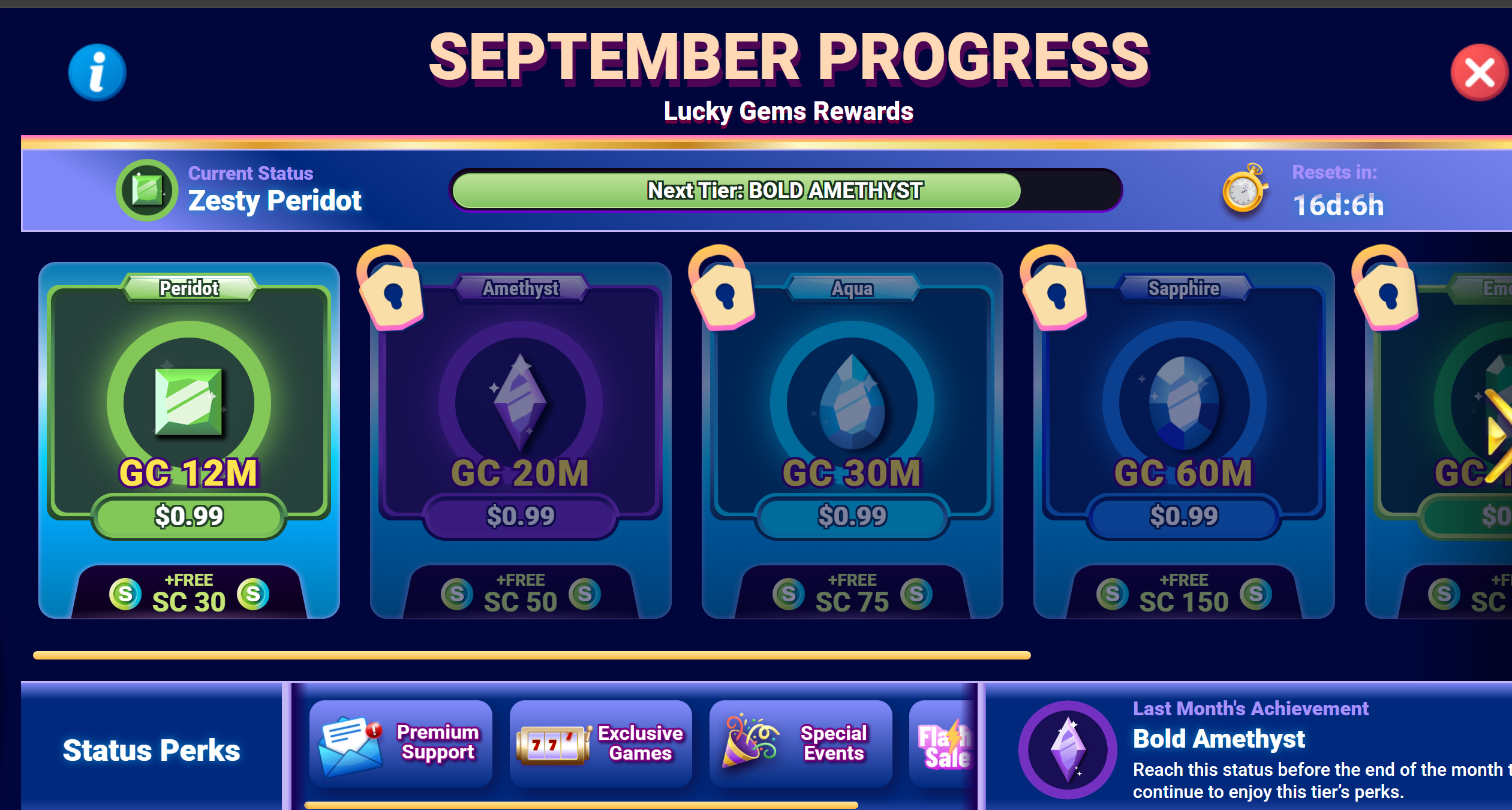
Current first-tier bonus shown by LuckyLand.
SWEEPSEDGE OPS · STANDARD
Let the LuckyLand VIP spinner run in the background.
Connect LuckyLand once, press Start in SweepsEdge Ops, and let the repetitive GC spins build Lucky Gems progress while you use your computer for anything else.
THE EASY EARLY VALUE
The first two tiers currently add up to 80 SC.
LuckyLand currently shows 30 bonus SC at Peridot and another 50 bonus SC at Amethyst. That is $80 in stated reward value before the later tiers even enter the picture. Ops turns the GC play behind those milestones into a start-it-and-check-later job.
Current second-tier bonus shown by LuckyLand.
Current stated bonus value across the first two tiers.
GETTING STARTED
Connect once, then start the spinner from Ops.
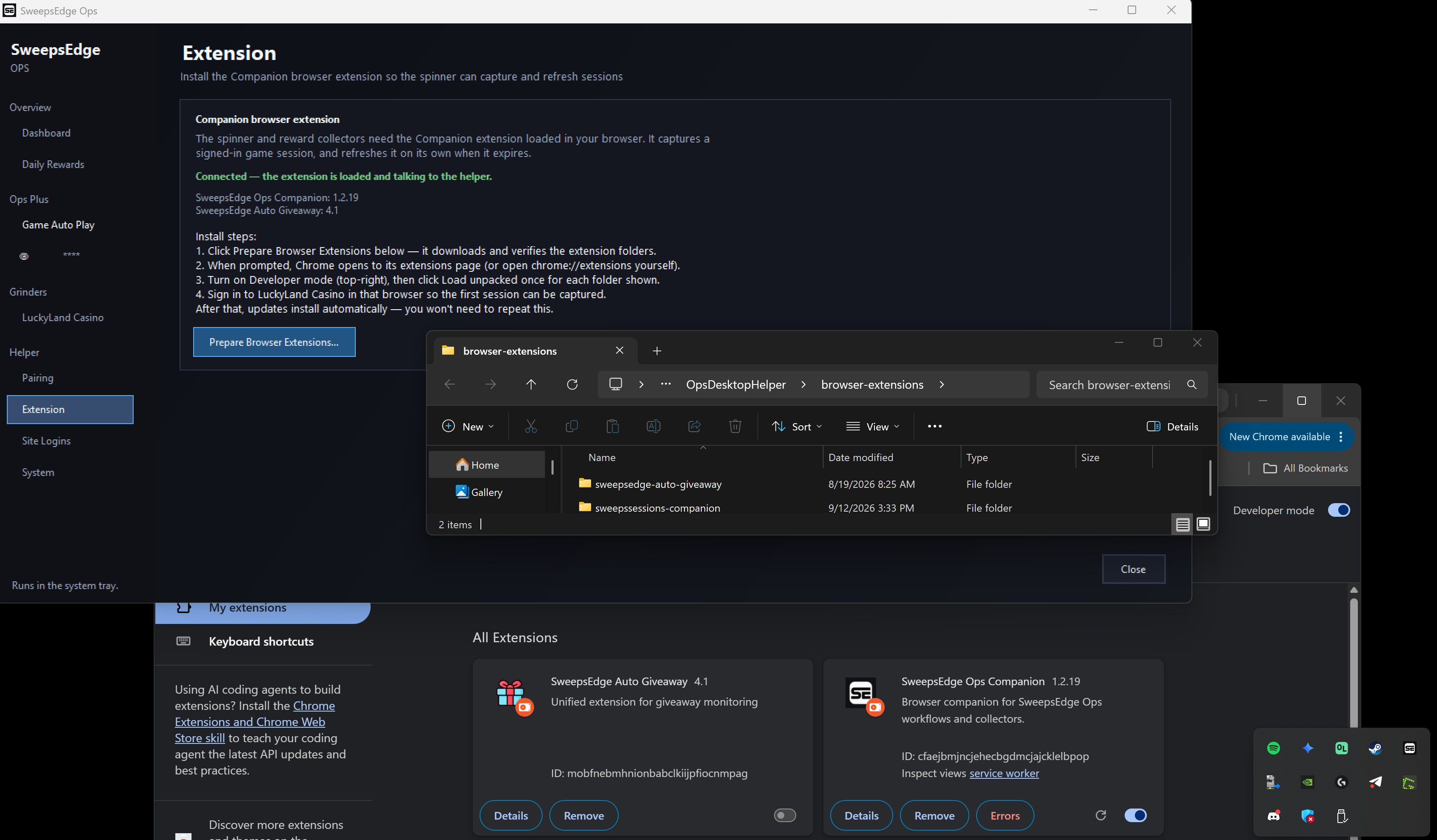
The Companion extension only hands your signed-in LuckyLand session to the desktop helper. Once Ops shows Connected, the browser has finished its part.
- 01Start Ops Standard or Plus
The VIP spinner is included with either paid Ops plan. New customers can start with the seven-day Standard trial.
- 02Install and pair SweepsEdge Ops
Install the desktop app, sign in, and complete Helper → Pairing so the app is connected to your SweepsEdge account.
- 03Prepare the Companion extension
In Ops, open Helper → Extension and select Prepare Browser Extensions. Ops downloads and verifies the extension folders for you.
- 04Load it once in Chrome
Open chrome://extensions, turn on Developer mode, choose Load unpacked, and select the sweepssessions-companion folder. Load the AutoGiveaway folder too only if you use that separate tool.
- 05Connect LuckyLand once
Sign in to LuckyLand Casino in that Chrome browser. Leave it open until Ops says the Companion extension is connected and has captured the signed-in session.
- 06Start the VIP spinner
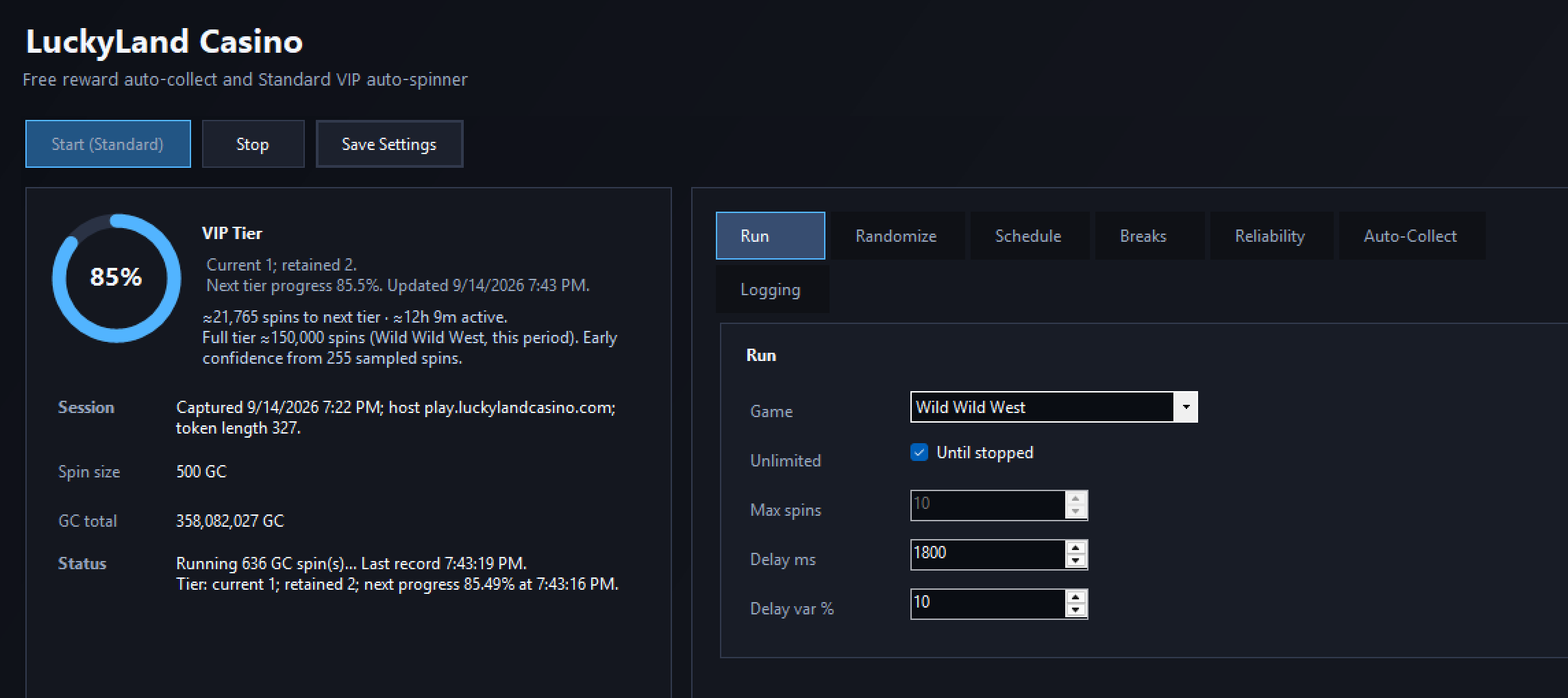
In Ops, open Grinders → LuckyLand Casino and start the spinner. Once connected, Chrome can close—the desktop helper keeps the session refreshed in the background.
OUT OF YOUR WAY
No open casino tab. No lost mouse. No interruption.
The desktop helper owns the ongoing connection after setup, so the VIP spinner behaves like a background task—not a browser automation you have to watch.
- Chrome can close
The browser is needed for the initial sign-in and session handoff. After Ops reports Connected, the spinner no longer needs an open browser window.
- Ops runs minimized
Close the main window and Ops stays available from the system tray, continuing the spinner without taking over your screen.
- Keep using your computer
There is no browser tab to babysit and no automated cursor fighting you. Work, watch, or play while the GC spins continue separately.
QUICK ANSWERS
Before you press Start
Do I have to leave Chrome open?
No. Keep Chrome open only until Ops confirms the signed-in session is connected. After that, you can close it.
Can I minimize or close the Ops window?
Yes. Ops continues from the system tray, so its main window does not need to stay on screen.
Which Ops plan includes the spinner?
Ops Standard and Ops Plus include the LuckyLand VIP spinner. The separate LuckyLand daily reward collector is available on Free.
Is 80 SC guaranteed every month?
No. The 80 SC total reflects the current 30 SC and 50 SC rewards shown for the first two Lucky Gems tiers. LuckyLand sets and can change its offers, requirements, and rewards.
READY WHEN YOU ARE
Put the GC spins in the background.
Start with seven days of Ops Standard, connect LuckyLand once, and let the spinner handle the repetition.